
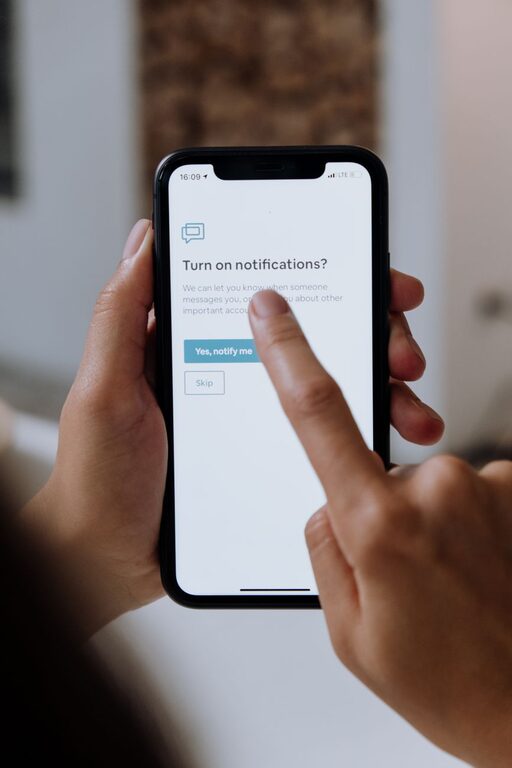
In today’s connected world, notifications keep us informed and updated but can quickly become overwhelming if not managed properly. Constant alerts from emails, social media, messaging apps, and other digital tools can interrupt your focus, increase stress, and reduce productivity. Setting clear boundaries with notifications helps you regain control over your time and attention.
In this post, we’ll explore practical tips to help you manage notifications effectively, achieve a better work-life balance, and enjoy a calmer, more intentional relationship with technology.
Why Setting Boundaries with Notifications Matters
Notifications are designed to grab your attention immediately, but frequent interruptions break your concentration and can make tasks take longer to complete. Studies show that it can take up to 23 minutes to fully refocus after an interruption.
By setting boundaries with notifications, you can:
– Reduce distractions and improve focus
– Lower stress and digital overload
– Protect personal time from work interruptions
– Improve sleep quality by limiting nighttime alerts
– Enhance overall productivity and well-being
Tips for Managing and Setting Boundaries with Notifications
1. Audit Your Notifications
Start by reviewing all the apps and services that send you notifications. Ask yourself:
– Which notifications are essential or urgent?
– Which ones can be turned off or set to silent?
Many apps default to sending frequent alerts that aren’t necessary. Turning off non-essential alerts is the first step toward fewer interruptions.
2. Use Do Not Disturb Modes
Most smartphones and computers offer “Do Not Disturb” (DND) features that temporarily silence notifications. Customize DND settings to:
– Activate during focused work periods
– Enable automatically during evenings or sleep hours
– Allow calls or messages from important contacts only
Using DND helps you stay present without missing critical updates.
3. Schedule Specific Times to Check Notifications
Instead of reacting as soon as a notification arrives, set designated times to review messages and alerts. For example, check emails only in the morning, after lunch, and near the end of your workday.
This batching method reduces the urge to constantly check your device and helps maintain focus on tasks.
4. Customize Notification Settings for Each App
Dive into notification settings for each app to tailor how and when you receive alerts. Options usually include:
– Turning off sound or vibrations
– Choosing banner styles or badges
– Selecting which types of notifications are important
By customizing each app, you minimize unnecessary interruptions.
5. Mute Group Chats and Social Media Alerts
Group chats and social media often generate numerous notifications that can be distracting. Mute or limit alerts from groups that are not time-sensitive, or set social media apps to notify you only about direct messages.
This helps curb digital noise without disconnecting completely.
6. Use Focus or Work Modes on Devices
Many devices now offer “Focus” or “Work” modes that block distracting apps and notifications during chosen hours. Activating these modes signals your device to prioritize your work or rest time, reminding you to stay on track.
7. Set Boundaries with Others
Communicate your notification preferences to colleagues, friends, and family. Let them know when you’re available for calls or messages and when you prefer not to be disturbed.
Clear communication helps manage expectations and reduces pressure to respond immediately.
8. Turn Off Non-Essential Notifications at Night
Notifications during the night can disrupt sleep and cause stress. Turn off all non-essential notifications or put your phone on airplane mode before bedtime to ensure restful sleep.
If you still want to be reachable for emergencies, customize your Do Not Disturb mode accordingly.
9. Consider Using Notification Management Apps
If you find native settings limited, notification management apps can help consolidate and control alerts. These apps offer features like automatic muting, scheduling, and priority filtering.
Research options compatible with your device and choose one that aligns with your needs.
10. Regularly Reassess Your Notification Settings
Your digital habits and priorities change over time. Make it a habit to review your notification settings regularly—perhaps monthly or quarterly—to adjust and fine-tune them.
This ongoing management prevents notification overload from creeping back in.
Benefits of Setting Boundaries with Notifications
When you take charge of your notification settings and create clear boundaries, you can expect:
– Enhanced focus and deeper concentration on important tasks
– Reduced feeling of being overwhelmed by digital influx
– More meaningful interactions with people around you
– Better separation between personal and professional life
– Improved sleep and mental well-being
Final Thoughts
Notifications serve an important purpose but managing them thoughtfully is key to maintaining your focus and well-being. Start small—turn off a few non-essential alerts or try using Do Not Disturb during work hours—and build from there.
By setting clear boundaries, you create space for calm, focus, and balance in a digitally connected world. Take control of your notifications today and enjoy the benefits of a more mindful and intentional digital life.